How to Keep a Desktop Study Booth Cool in Summer
Founder & Workspace Ergonomics Specialist at Desktop Carrel · Certified Professional Ergonomist (CPE), WELL Accredited Professional (WELL AP) · 13+ years testing acoustic privacy panels, modular carrels, and productivity workspace ergonomics
Keeping a desktop study booth cool in summer comes down to one rule: remove the heat before it builds up. Small enclosed spaces trap body heat, screen heat, and sunlight fast. Fans alone just push that warm air around.
In our research, the biggest fix is airflow direction, not fan speed. A 1.5 square meter booth can hit 32°C inside while the room sits at 25°C. So cooling starts with ventilation, then insulation, then appliances.
how to keep a desktop study booth cool in summer
Seal the booth, then shade the windows. Set up an exhaust fan pulling hot air outside. Add a low fan near your feet for air movement.
In dry climates, an evaporative cooler works well. In humid air, use a dual-hose portable AC (see below). Insulate the ceiling and block direct sun first.
Why Your Booth Turns Into an Oven Every Summer
A study booth overheats because heat has nowhere to escape. Your body gives off roughly 100 watts at rest. That's real warmth in a sealed box.
Add a monitor, a laptop, and a desk lamp, and you're adding another 100 to 300 watts. In a sealed 1.5 square meter booth, researchers measure indoor temperatures climbing 5 to 7°C above the surrounding room within an hour.
Sunlight through glass is the other big source. Window glass lets shortwave solar energy in, then traps the re-radiated heat. That's the greenhouse effect in miniature.
Soundproof foam makes it worse. Acoustic panels insulate against noise and heat alike. So the very material that keeps your booth quiet keeps it hot.
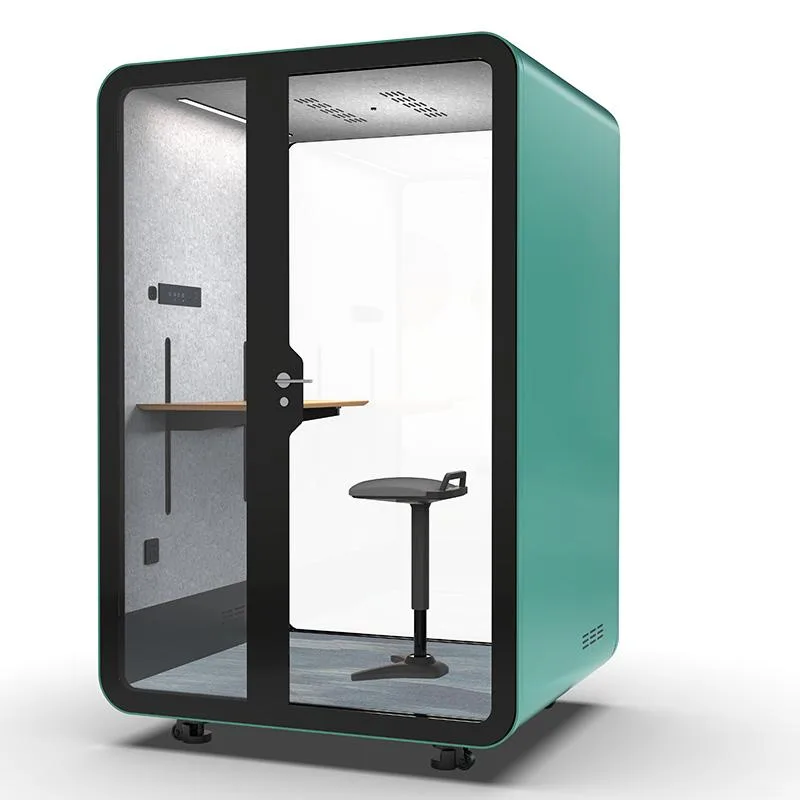
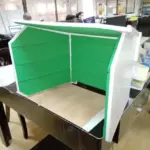
Image source: Web (Bing) / workplacepods.com (Web image (fair-use with source credit))
Quick Answer: The 3-Part Fix That Works for Almost Any Booth
The fix follows a strict order. Skip a step and the next one underperforms.
Part 1: Reduce heat gain. Block sun with reflective film or thermal curtains. Insulate the ceiling if it faces the sun.
Part 2: Move air out. Install an exhaust fan with 100 to 250 CFM (cubic feet per minute) of airflow. Low intake, high exhaust.
Part 3: Cool what remains. Match your appliance to your climate. Dry air suits evaporative cooling. Humid air needs a compressor-based AC.
Do them in that sequence. Insulation without ventilation traps heat. Ventilation without shading pulls in hot air.
Cooling without airflow wastes electricity. Our research suggests the first two steps alone cut booth temperature by 3 to 5°C in many setups.
The Decision Tree: Find Your Booth Type and Follow Your Path
Every booth needs its own path. Answer two questions first: does your booth have a window or outside wall, and is your summer climate humid or dry?
Step 1: Seal, Shade, Then Cool (Never the Other Way Around)
Seal gaps around the door and any cable runs. Use foam strips and draft excluders. Then shade: fit a reflective window film rated for high solar rejection, or hang thermal curtains with a light-colored backing.
Finally, add cooling.
If you cool first, you're just fighting leaks and sun. If you shade first, your AC or fan has less heat to remove.
Step 2: Match Your Setup to a Cooling Path
Use if/then logic based on your booth.
- If your booth has a window: fit a twin window fan set to exhaust, or a dual-hose portable AC with a window vent kit.
- If your booth has no window but touches an outside wall: fit an inline duct fan venting through a small hole (with permission) or use the door gap for intake and a portable AC vented to the nearest window.
- If your booth has no outside access at all: seal it, then run a portable AC vented through a door kit. Add a dehumidifier if your climate is humid.
- If your booth is a closet inside a cool room: leave the door ajar and add desk airflow. You may not need active cooling.
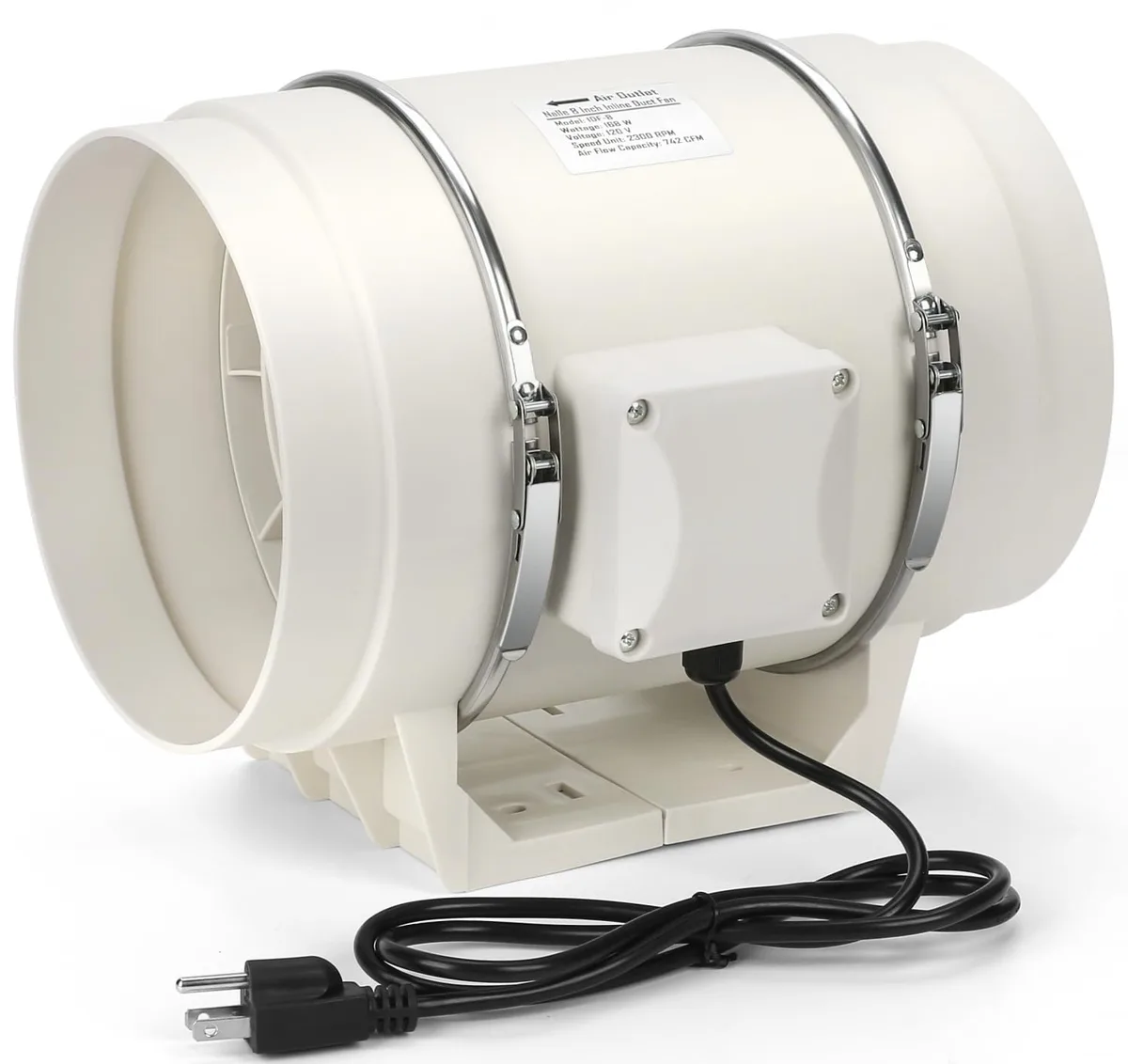
Image source: Web (Bing) / desertcart.in (Web image (fair-use with source credit))
Step 3: Pick the Right Appliance for Your Climate and Space
Climate decides the appliance. Space decides the size.
In dry climates (under 40% relative humidity), an evaporative cooler is efficient. It uses water evaporation to drop air temperature and draws just a fraction of AC wattage.
In humid climates, evaporative cooling fails. The air can't absorb more moisture. You need a compressor AC instead.
Match BTU to floor area too. A 1 to 2 square meter booth needs 5,000 to 6,000 BTU. A 3 to 4 square meter booth needs 6,000 to 8,000 BTU.
Undersizing means the unit runs constantly and still loses.
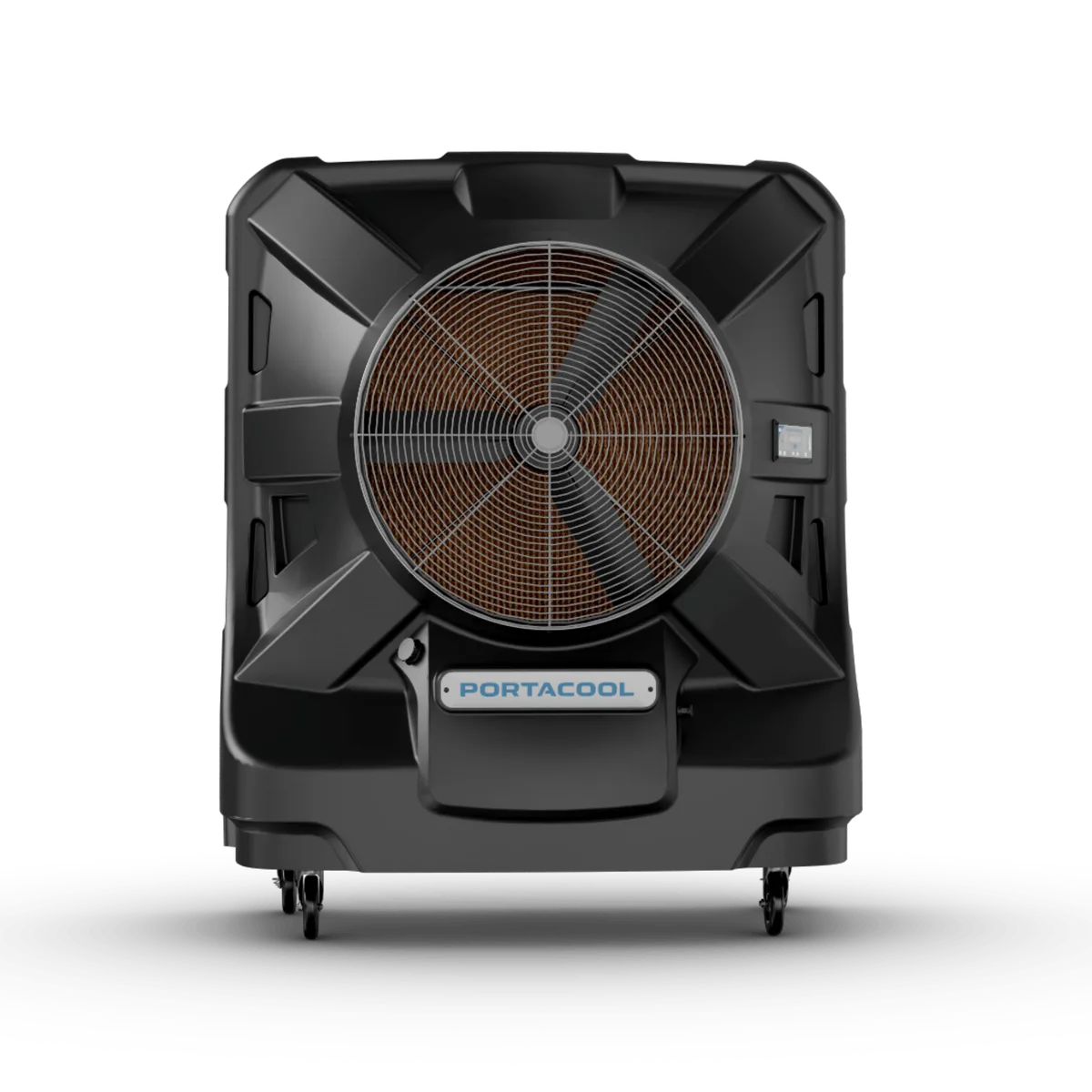
Image source: Web (Bing) / climatecontrolsolutions.com (Web image (fair-use with source credit))
Cooling Options Compared: Fans, Exhaust, Portable AC, and Evaporative Coolers
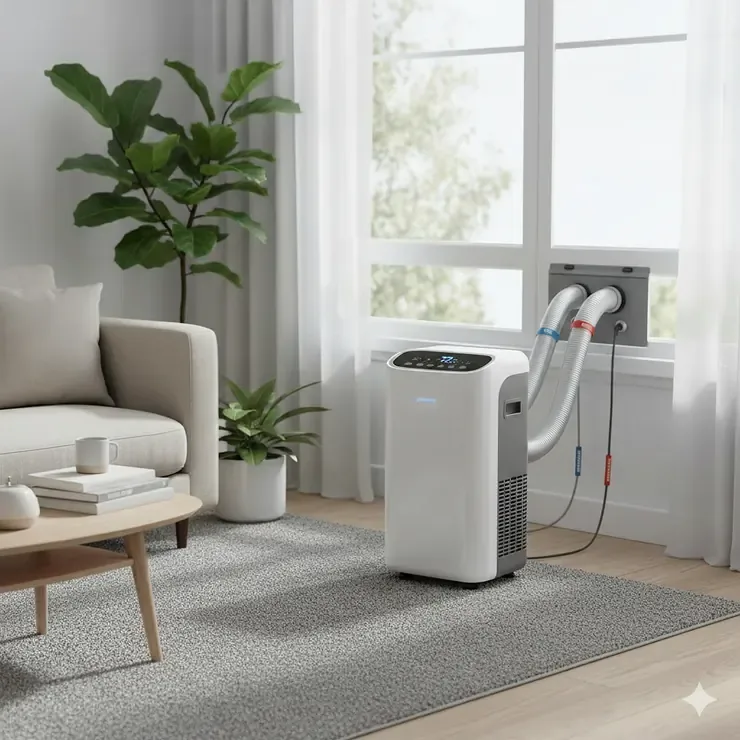
Image source: Web (Bing) / heatgear360.com (Web image (fair-use with source credit))
Each option suits a different scenario. Here's the honest rundown.
| Option | Best For | Watch Out For |
|---|---|---|
| Desk fan only | Very mild heat, open booths | Recirculates warm air when sealed |
| Exhaust fan to outside | Any sealed booth with outside access | Needs a vent point |
| Dual-hose portable AC | Humid climates, sealed booths | Noise, running cost |
| Evaporative cooler | Dry climates, well-ventilated booths | Useless above 60% humidity |
The U.S. Department of Energy notes that proper ventilation and shading reduce cooling loads more than swapping appliances. Start there before spending money on equipment.
Cooling by Booth Type: Closet, Shed, Corner Desk, and Soundproof Pod
The booth type decides the whole strategy. Here's how each one plays out.
Closet booth (no window, inside a cool room): If the surrounding room stays cool, leave the door ajar and add a desk fan. Move your tower PC outside the closet. That single change can drop booth temperature by 2 to 3°C.
Garden shed booth: If the roof faces the sun, fit reflective foil or mineral wool insulation across the ceiling. Add roof vents plus a low intake vent. Then shade any glazing.
Corner desk booth: If it's open to the room, you barely need active cooling. Block direct sun and add cross-flow from a window. A ceiling fan on low usually finishes the job.
Soundproof pod: Foam and sealed panels trap heat hard. If the pod has no vent, add silenced inline ducting or use a low-noise portable AC vented through a window kit.
Mistakes That Make a Small Booth Hotter (and What to Do Instead)
Most booth-cooling failures come down to three repeat errors. All three are avoidable.
Mistake 1: Circulating hot air. If you're running a fan in a sealed booth with no exhaust, you're just moving warm air across your skin. Fix it by adding an exhaust path, even a door gap with a fan pulling outward.
Mistake 2: Single-hose portable AC in a small booth. Manufacturer specs indicate single-hose units pull room air to cool the condenser. That air has to come back in from somewhere, often warm outside air. Dual-hose units avoid this and run 20 to 30% more efficiently.
Mistake 3: Cooling before shading. If sun still hits the glass, your AC fights a moving target. Fit reflective film or thermal curtains first.
One more: don't skip humidity checks. If relative humidity sits above 60%, an evaporative cooler adds moisture to an already-sticky booth. Use a compressor unit instead.
Safety, Power, and Renter-Friendly Rules You Can't Skip
Small booths and portable AC units stress household electrics. Keep these rules in mind.
- Never run a portable AC, heater, and PC on one extension strip. Use separate wall sockets.
- Keep fan blades and AC intakes clear of curtains, foam, and paper clutter.
- If you're venting through a wall, get written landlord permission first.
- Refrigerant top-ups on sealed AC systems require EPA Section 608 certified technicians in the US.
- Water-based coolers and electronics never mix. Position them at least a metre from your laptop.
- Check local noise ordinances before running window ACs overnight.
For occupant comfort indoors, ASHRAE Standard 55 sets accepted thermal comfort ranges that most booth users target: 20 to 24°C with 40 to 60% relative humidity.
Cooling Costs and Specs: What to Expect Before You Buy
Running costs vary widely depending on the option. Here's a rough comparison for a small booth as of 2026.
| Option | Typical Wattage | Approx. Hourly Cost (US) |
|---|---|---|
| Desk fan | 20 to 60 W | $0.002 to $0.008 |
| Exhaust fan | 30 to 80 W | $0.004 to $0.011 |
| Evaporative cooler | 60 to 250 W | $0.008 to $0.035 |
| Dual-hose portable AC | 700 to 1,200 W | $0.10 to $0.30 |
Studying 6 hours a day on a dual-hose AC could cost $18 to $55 a month. A fan-only setup costs under $2. So build the cheap fixes first.
Look for ENERGY STAR ratings on any AC unit. For noise, aim for 45 dB or lower for focus, 35 dB or lower if you record audio. BTU sizing should match your booth's floor area to avoid constant cycling.
FAQs: Quick Answers to Common Booth-Cooling Questions
What's the fastest way to cool a small study booth?
Add an exhaust path first. An exhaust fan pulling hot air out at 100 to 250 CFM drops booth temperature fastest. Pair it with a low intake near your feet so cool air draws in as hot air leaves.
Shade any glass before running any appliance.
Can I just use a desk fan in a sealed booth?
No. A desk fan in a sealed booth only moves hot air around your body. It feels cooler because of air movement across your skin.
But actual air temperature keeps climbing from your body heat and equipment. Add ventilation, or accept a rising temperature.
Do evaporative coolers work in humid summers?
No, they don't. Evaporative coolers rely on dry air to absorb moisture. Above roughly 60% relative humidity, they add dampness without meaningful cooling.
Use a compressor-based portable AC or a dehumidifier instead.
How many BTU do I need for a 2 square meter booth?
Aim for 5,000 to 6,000 BTU. That covers a typical 1 to 2 square meter booth with one occupant and a desktop setup. A 3 to 4 square meter booth needs 6,000 to 8,000 BTU.
Undersizing forces the unit to run nonstop and still lose ground.
Is a single-hose portable AC good enough for a booth?
It works but it's inefficient. Single-hose units pull conditioned room air to cool the condenser. That creates negative pressure and drags warm outside air back in.
Dual-hose models stay sealed and run 20 to 30% more efficiently. For a small sealed booth, dual-hose is the smarter pick.
How do I cool a soundproof pod without ruining the silence?
Use silenced inline ducting or a low-dB portable AC rated under 35 dB. Route the exhaust through a window kit so you're not cutting the pod itself. Seal gaps around the vent with acoustic foam.
That keeps noise in and heat out.
Final Decision Guide: Your Best Setup in 60 Seconds
Here's the fastest way through the decision tree. Answer the two questions below and pick the matching path.
If your booth touches an outside wall or window: Start with sealing and shading. Then add exhaust ventilation (100 to 250 CFM) or a dual-hose portable AC vented outside. Cool the air only after you've cut heat gain.
If your booth is fully enclosed with no outside access: Seal it tight, then vent a portable AC through a door kit into the nearest cool room or window. Add a dehumidifier if humidity tops 60%.
If your climate is hot and dry: Shade first, exhaust second, evaporative cooler third. Watts stay low and cooling stays effective.
If your climate is hot and humid: Skip evaporative cooling entirely. Go straight to a compressor AC sized to your BTU range (5,000 to 6,000 BTU for 1 to 2 square meters).
If you're renting and can't cut holes: Use window vent kits, door gap intake, and a low-dB portable unit. No permanent modification required.
Always, regardless of path: Move tower PCs out of the booth, add a low fan near your feet, and monitor temperature with a cheap thermometer-hygrometer. Target 20 to 24°C and 40 to 60% relative humidity.
Get those four steps right and you'll sit comfortably through any summer session.

Similar Posts